Written 11/20/25
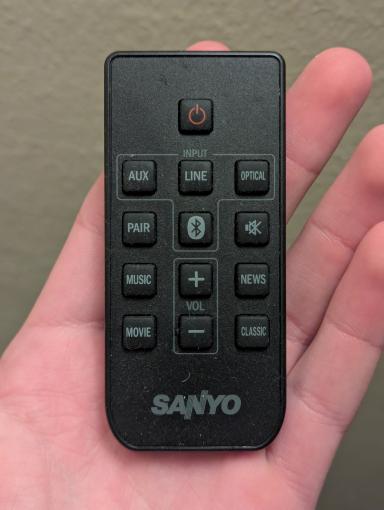
This was supposed to be a part of my article on the HTPC setup, but ended up being long and specific enough that I think it deserves its own.
The most frustrating part of the tv setup was the soundbar. It uses its own remote and has to be manually powered on every time. The volume setting doesn't save after a power cycle, going to the minimum, and when plugged in, it defaults to being powered off. Oh, and there are no physical buttons on the device, just the stupid remote.
I connected an IR receiver to an Arduino and recorded the codes for power, line in, and volume up. Then I replaced the receiver with an IR led and programmed the Arduino to send those codes.
To add another challenge, the soundbar powers off if left without a signal too long. I'd heard of software for the computer to play a few seconds of audio below the range of human hearing, at low volume, every few minutes. It wouldn't be audible, but would be just enough to keep the speaker awake. I might have used this solution but it wouldn't work for other video inputs.
After some testing I found that pressing a button on the soundbar's remote every 10 minutes is enough to keep it awake. Also, if I use the line in button, it subtly blinks one LED, as opposed to the volume up, which flashes all 4 LEDs several times when the volume is already at the max. So I added a loop to the Arduino to send the line in command every 10 minutes while it's powered on.
Finally, I stuck the Arduino to the back of the TV, pointing to the soundbar, and ran a USB cable from the TV's port to power it. Now when the TV powers on, its USB port switches on and powers up the Arduino. The Arduino turns on the soundbar, sets it to line in, waits 10 seconds for it to power up, and cranks the volume all the way up to allow the TV's volume control to be the only one. Then, every 10 minutes, the Arduino sends the line in command and keeps the soundbar awake. When the TV is turned off, power to the Arduino is cut and after about 10 minutes, the soundbar powers itself off.
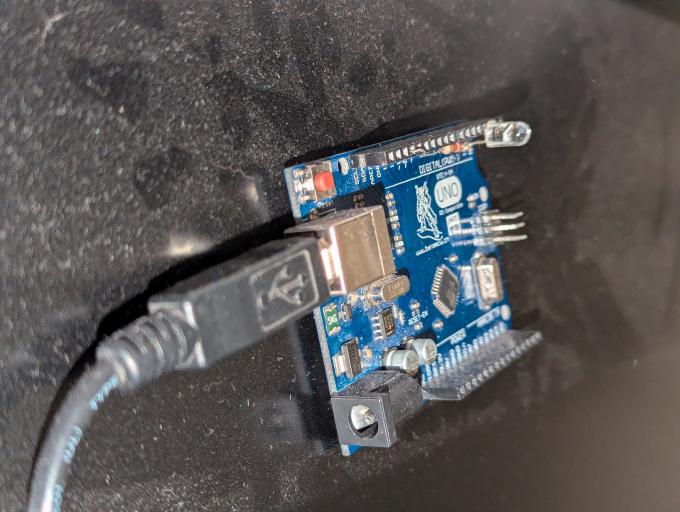
But what if someone turns the TV off, and then back on less than 10 minutes later, while the soundbar is still on? Since the power button is a toggle, I thought it would turn the soundbar off, which would be a problem. But somehow, when the power and line in are sent so quickly together, the soundbar skips the power command, switches to line in and stays on. I don't know why or how that works, but I'm not going to question it or mess with it, in case it decides not to work anymore.
If you want to recreate this, find some tutorials for the IRremote library. My code is a (very sloppily) modified copy of an example sketch from it.
So this part of the project is a huge success! Andy Didorosi once said, "now that the truck doesn't have exhaust in the cabin, it feels like a million bucks. It feels like a brand new truck." That little remote is like his 1984 truck's exhaust leak. It doesn't take something new to get that feeling of something new, just something that works the way it should.